Skip to content
  • Home
  • Features
    • Matrix Framework
    • Matrix One
    • Plugin Toolkit
    • Matrix Library
  • Templates
  • Support
  • Pricing
  • Home
  • Features
    • Matrix Framework
    • Matrix One
    • Plugin Toolkit
    • Matrix Library
  • Templates
  • Support
  • Pricing
  1. Features
  2. Plugin Toolkit

Features

Matrix Plugin Toolkit for
professional Jimdo websites

Create unique Jimdo websites using advanced customizations, CSS, JS plugins and pre-made design sections.

Custom Widgets

A collection of versatile custom widgets and full-width blocks, crafted to streamline the creation of modern websites.

Animations

Apply captivating animation effects to individual widgets or entire pages to enhance visual appeal and engagement.

Customizations

Enhance your website with finely tuned customizations, allowing for advanced modifications of default Jimdo elements.


Quick Start

Getting Started with Matrix Plugin Toolkit

Follow these steps to set up Matrix Plugin Toolkit in your Jimdo website.

1

Add the code to your site

Copy the provided code snippet and paste it into the <head> section of your website

2

Explore the features

Open your custom admin menu to access all the powerful tools and options at your fingertips.

3

Design & go live

Use the full Matrix Plugin toolkit - from HTML widgets to intuitive drag-and-drop controls.

Settings > Edit Head
<script src="https://u.jimcdn.com/cms/o/s4024d332103fa7dd/userlayout/js/matrix-plugin-toolkit-min.js?t=1778144464" type="text/javascript"></script>
<link href="https://u.jimcdn.com/cms/o/s4024d332103fa7dd/userlayout/css/matrix-plugin-toolkit-min.css?t=1778144454" rel="stylesheet" type="text/css" />

<script type="text/javascript">
//<![CDATA[
// Matrix Plugin Toolkit Configuration
window.MatrixPluginToolkitConfig = {
  features: {
    matrixAdmin: true,
    matrixModule: true,
    variableModule: true,
    onePage: false,
    fluidModule: true,
    helperClassesModule: true,
    moduleNavigator: true,
    localeModule:true
  }
};
//]]>
</script>

     
www.matrix-framework.com

Frequently Asked Questions

Check out the most frequently asked questions about Matrix Plugin Toolkit.

What is Matrix Plugin Toolkit?

Matrix Plugin Toolkit designed to extend and customize your Jimdo website. It provides a simple way for you to enhance your site by injecting a menu where you can easily manage and add custom widgets, tools, and JavaScript plugins.

Can I use it with Dolphin website?

Matrix Plugin Toolkit can only be used with Jimdo Creator websites and does not work with Jimdo Dolphin.

Does it work with all Jimdo templates?

Yes

Can I use it for my customers' websites?

There's no limitation to use Matrix Plugin Toolkit for multiple websites

Is it free?

Once installed, you have access to the documentation sections and main custom widgets. Access to the password-protected sections requires a valid password, which can be sent after an upgrade.

How can I upgrade Matrix Plugin Toolkit?

After installation, you'll find the upgrade section inside the admin menu. You can upgrade the Matrix Plugin Toolkit by contacting Jimdo Experts or Matrix Framework Partners.

The ideal template
for your vision


Begin with a stunning design of completely redesigned Jimdo templates with Design Kit feature. 

Select custom widgets, fonts, colors, backgrounds, and much more to personalize every detail.
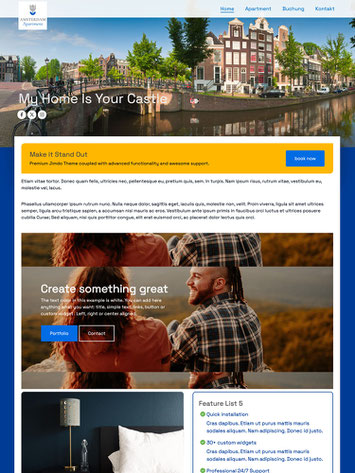
 

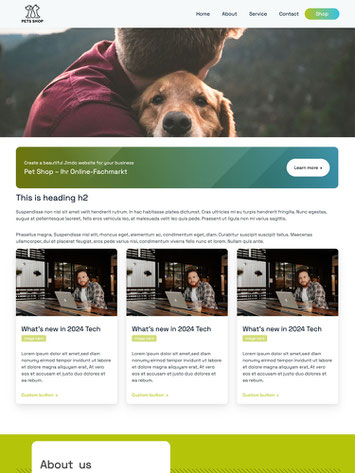
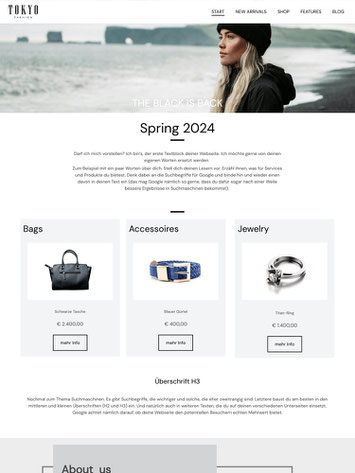
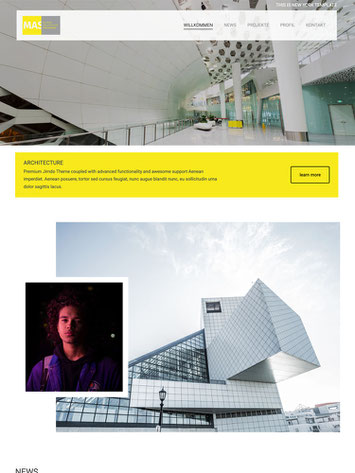
Hisingen jimdo-template
Amsterdam
Horten jimdo-template
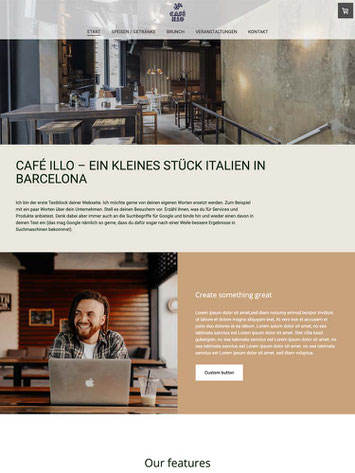
Barcelona
Floen jimdo-template
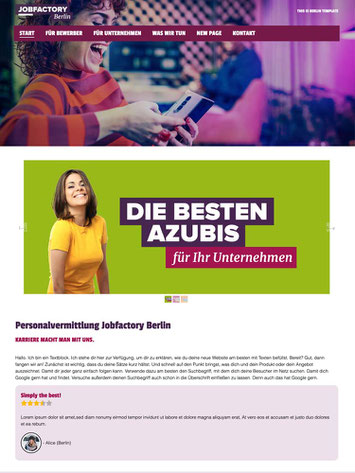
Berlin
browser-frame

Hisingen jimdo-template
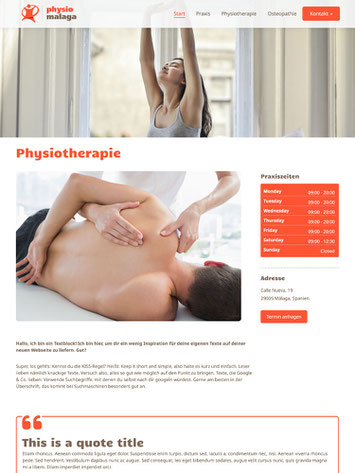
Malaga
Horten jimdo-template
Osaka
Floen jimdo-template
Cairo
browser-frame add-20

Hisingen jimdo-template
Malaga One Pager
Horten jimdo-template
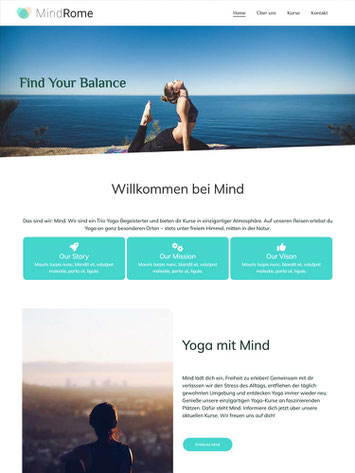
Rome with megamenu
Floen jimdo-template
New York
browser-frame add-20

Get started
Gobal colors
  bg-primary
  bg-primary-light
  bg-primary-dark
  bg-secondary
  bg-secondary-dark
Template colors
  body
  top-header
  top-header-inner
  header
  header-inner
  navigation-inner
  navigation color
  dropdown background color
  content
Footer Styles
  background
  text color
  link color
  horizontal line
Buttons
  style 1
  style 2
  style 3
  text color
Mobile navigation
  background color
  navigation color
Other elements
  social icons
  top header border
  header border
  nav inner border
  footer border
 
Template configurations
 
has-sticky-logo has-large-header primary-font has-center-nav has-header-blur no-shopping-cart
 
Top header inner


Header inner


Navigation inner


Navigation styles
 
size-15 weight-400
 
Sub-menu (breadcrumbs) styles
 
size-15
 
Mobile Navigation styles
 
size-30
 
Content styles
 
form-white
 
Footer styles
 
o-form has-thin-border has-border-style-solid has-border-top has-footer-border-color
 
Footer background image


Typography

Heading H1
weight-400
 
Heading H2
weight-400
 
Heading H3
weight-400
 
Body text (p, table, td)
 
 
Buttons
weight-400
 
 
Advanced settings
 
Custom CSS

#cc-inner .my-class {

color:#f0f0f0;

}

/* MATRIX-CUSTOM-MODULES-START */

#cc-m-7792741551 h1, #cc-m-7792741551 h2, #cc-m-7792741551 h3 {font-size:20px !important;}

#cc-m-7792741851 h1, #cc-m-7792741851 h2, #cc-m-7792741851 h3 {font-size:20px !important;}

#cc-m-7792930551 h1, #cc-m-7792930551 h2, #cc-m-7792930551 h3 {font-size:20px !important;}

#cc-m-12388126494 h1, #cc-m-12388126494 h2, #cc-m-12388126494 h3 {font-weight:600 !important;}

#cc-m-12388126494 h1, #cc-m-12388126494 h2, #cc-m-12388126494 h3 {font-size:40px !important;}

/* MATRIX-CUSTOM-MODULES-END */

/* MATRIX-GLOBAL-SETTINGS-START */

:root {

--content-width: 1170px;

--special-pages-content-width: 900px;

}

/* HAMBURGER-BAR-START */

:root { --hamburger-btn-background: transparent; --hamburger-btn-bg: transparent; --hamburger-btn-bg-active: transparent; }

/* HAMBURGER-BAR-END */

#cc-inner #hs-container .j-formnew input[type='submit'],

#cc-inner #hs-container input.submitUser,

#cc-inner .hs-button,

#cc-inner .j-calltoaction-link,

#cc-inner input.cc-checkout-btn,

#cc-inner a.cc-shop-addtocard {

padding: 14px 35px !important;

border-radius: 8px;

}

/* MOBILE-FULLWIDTH-BUTTONS-START */

@media only screen and (width <= 746px) {

#cc-inner #hs-container .j-formnew input[type='submit'],

#cc-inner #hs-container input.submitUser,

#cc-inner .hs-button,

#cc-inner .j-calltoaction-link {

width: 100% !important;

margin: 5px auto 0 auto;

box-sizing: border-box;

text-align: center !important;

}

}

/* MOBILE-FULLWIDTH-BUTTONS-END */

/* MATRIX-GLOBAL-SETTINGS-END */


Note:
All changes made here will be applied to your entire website.
draggable-logo

Build faster, smarter, and more flexible Jimdo websites.

has-right-col-border

Products

Matrix Framework

Matrix One

Matrix Plugin Toolkit

Resources

Support

Changelog

Showcase

Marketplace

Community

Blog

Archive

GitHub


About | Privacy Policy | Cookie Policy | Sitemap | Withdraw contract
Created with Jimdo
Log in Log out | Edit
  • Scroll to top
Close