The latest updates of Matrix Themes including the new features, bug fixes and much more. You will also find some further customizations of custom widgets with the live examples.
01. Updated 'matrix.js'

In the latest Matrix.js update, I removed the superfish.js plugin. It's been used since the early Matrix templates, but due to conflicts and new features, the dropdown menu now relies solely on CSS.
I've also improved the default dropdown and mega menu styles. After updating the JS file and updates.css, you'll find more navigation style options available.
- In the mega menu, the underline styles can now be applied to all subpages as well.
- An option to display 3 icons of your choice for indicating the presence of a submenu. To set up the submenu indicators, navigate to Style Editor > Template Configurations > Navigation Styles, where you can configure three styles:
- has-icon-1
- has-icon-2
- has-icon-3
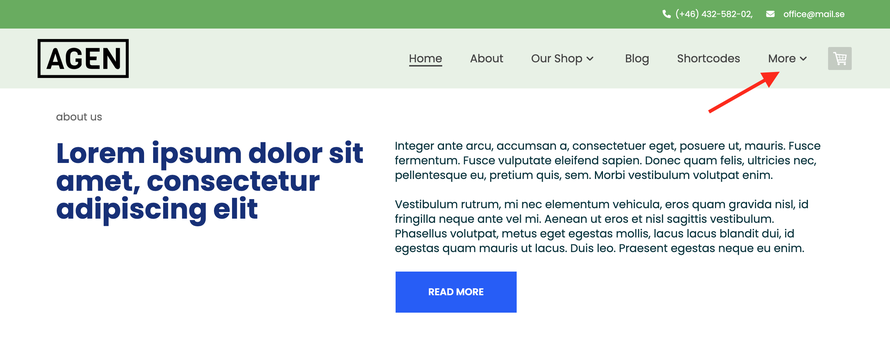
- An option to reduce the navigation by displaying the label 'more' with a dropdown menu. The plugin is available in 'Add-ons' as a custom menu and allows you to manually set up how many items you'd like to display and the label name. So, it works exactly the same as in Dolphin Jimdo websites.
02. Additional buttons styles
I've enhanced the color customizations for all buttons in custom layout.
In the Style Editor, you can configure three styles for all buttons. 'Style 1' is usually applied to the default buttons used in Widgets/HTML and now you have the flexibility to change this style to any other color available in the Style Editor.
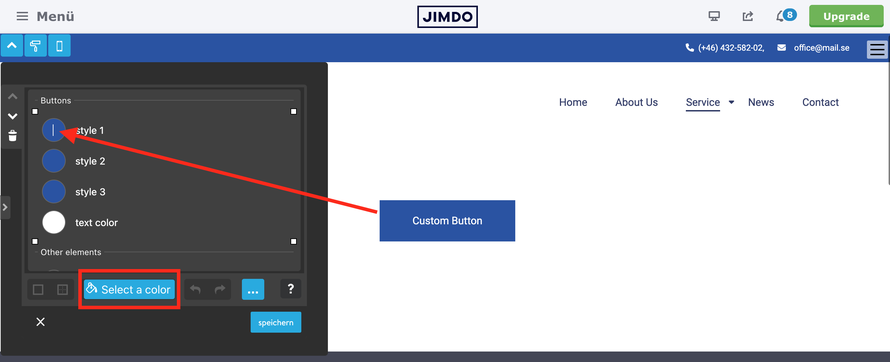
All you need to do is change the class "hs-button" to "hs-btn" and include any other class from your brand colors.
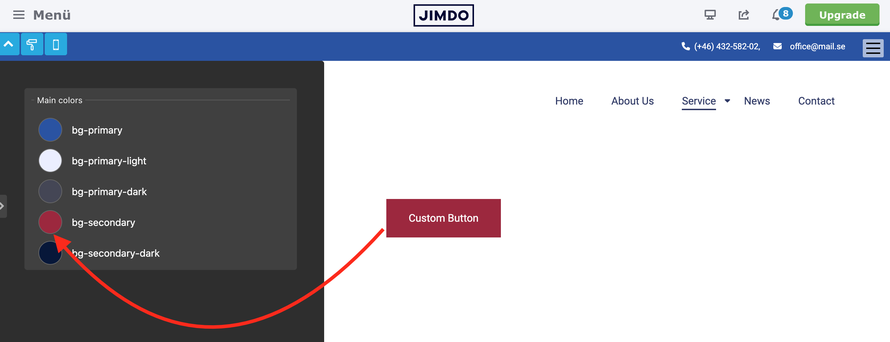
<a class="hs-btn bg-secondary" href="https://www.matrix-themes.com/" target="">Custom Button</a>
If the new background color of your buttons requires dark text color, you can add the class "has-dark-link"
<a class="hs-btn bg-primary-light has-dark-link" href="https://www.matrix-themes.com/" target="">Custom Button</a>
03. Ghost button
In the 'Shortcodes' section and in some widgets of 'Block Elements' you can find buttons with outline styles. By default, the button border is set to 2px, and I have noticed that some users struggle to change this value to 1px. It might not be easy since the button styles are set up in the file 'custom-widgets.css,' and it's not recommended to change the default theme styles. Therefore, the solution would be to introduce another helper class '--thin-line' that you can add to your outline buttons.
<a class="hs-button ghost-dark --thin-line" href="https://www.matrix-themes.com/" target="">Custom Button</a>
For the default Jimdo buttons and the buttons in the contact form, module "download," etc., there are two options for this scenario:
- Global Setup:
Open the style editor, select "Template Configurations" > "Content Styles" or "Footer Styles" (depending on where you'd like to apply the styles), and add the class 'dark-outline-btn --thin-line' or 'white-outline-btn --thin-line'. This will apply the styles to all default Jimdo buttons.
- Local Setup (Recommended):
Display your buttons inside the "Columns" module and then add the same variable tags 'dark-outline-btn --thin-line' or 'white-outline-btn --thin-line'. In this case, you will display the custom button styles only in this template section.
Contact form
04. Full width button
I just added 3 new classes for the buttons to make them 100% width:
- fullwidth-btn: This class can be added directly to default HTML buttons to make them full width on all devices.
- has-fullwidth-btn: This class can be used for the parent div containing buttons to make them 100% width. This class can also be used as a variable tag if you wish to apply it to default Jimdo modules such as the "Button" module, contact forms, or 'add-to-cart' buttons.
- mobile-fullwidth-btn: This class can be used for the parent div and as a variable tag to apply the rule only for mobile devices.
Custom widget
Contact form
05. Mask Card
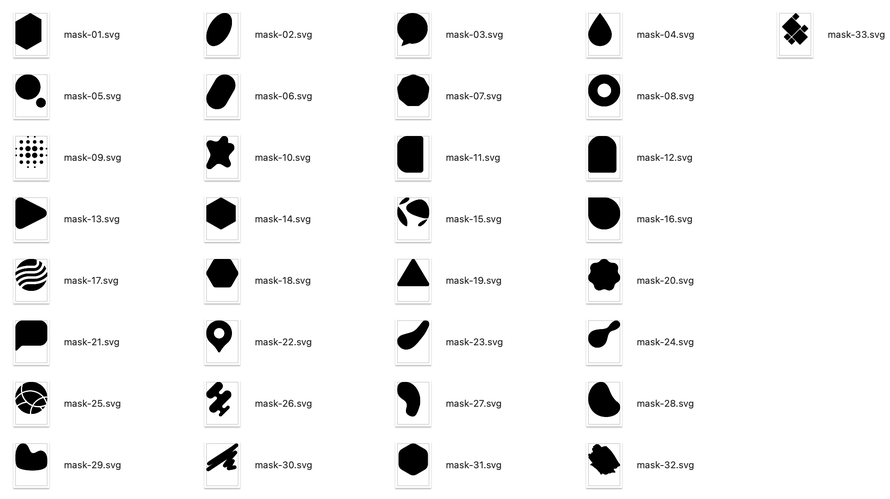
In the 'Shortcodes' section, you can find 2 new widgets called 'Mask Card.' There are 40 different shapes that can be customized to suit your needs.
<div class="mask-img resp-img" style="mask-image: url(https://u.jimcdn.com/cms/o/s77270d56027027a9/userlayout/font/mask-06.svg);">

3 Reasons to choose Matrix Themes
Lorem ipsum dolor sit amet,sed diam nonumy eirmod tempor invidunt ut labore et dolore magna aliquyam erat, At vero eos et accusam et justo duo dolores et ea rebum.
Custom button
3 Reasons to choose Matrix Themes
Lorem ipsum dolor sit amet,sed diam nonumy eirmod tempor invidunt ut labore et dolore magna aliquyam erat, At vero eos et accusam et justo duo dolores et ea rebum.
Custom button Custom button
06. The best alternative to Jimdo

Given the uncertainty surrounding the future of Jimdo Creator, a question frequently asked by many Jimdo customers is about possible alternatives. Drawing from my personal experience (having tried each of them), I've compiled a list of potential alternatives for Jimdo.
It's important to note that I have no affiliate links with any of the platforms mentioned.
-
Squarespace
Squarespace is a user-friendly website builder known for its sleek templates and intuitive drag-and-drop interface, making it easy for users to create professional-looking websites without extensive technical knowledge.
-
Wix
Wix is a versatile website builder offering a wide range of customizable templates and features, empowering users to create stunning websites for various purposes, from business portfolios to online stores, with ease.
-
Duda Builder
Duda is a website builder designed for agencies and professionals, providing powerful tools for creating responsive and visually appealing websites, along with features for client management and collaboration.
-
Tilda
Tilda is a website builder focused on simplicity and design flexibility, offering a variety of pre-designed blocks and templates that users can easily customize to create unique websites for their projects or businesses
-
Wordpress
WordPress is a popular content management system (CMS) known for its versatility and extensive ecosystem of plugins and themes. It powers millions of websites worldwide, ranging from personal blogs to large-scale corporate portals
-
Webflow
Webflow is a sophisticated website builder and CMS that combines the flexibility of a visual design tool with the power of a content management system, allowing users to create custom websites with responsive designs and dynamic content
-
Framer
Framer is a prototyping tool primarily used for creating interactive designs and high-fidelity prototypes for web and mobile applications. It offers advanced features for designers and developers to collaborate and iterate on user interface designs effectively
Please keep in mind that selecting a website builder depends entirely on your individual needs and business type. For instance, whether you're managing a hobby website, a small portfolio, or running a small business where you create websites for clients, the choice may vary.
07. Popup banner
The popup banner available in the Add-ons section has been further customized with the following options:
- Displaying the banner only once the user visits the website (cookie options).
- Displaying the banner anytime the user visits the page after 3 sec.
- Displaying the popup banner exactly in the place where the banner code is located on the page.
08. Custom Spacing
Additional variable tags to customize the default 'Spacing' module in Matrix themes and Matrix Page Builder to make it smaller for mobile devices.

Available options:
- m-spacer-0 (0px)
- m-spacer-extra-small (10px)
- m-spacer-small (25px)
- m-space-medium (50px)
- m-spacer-large (100px)
- m-spacer-extra-large (150px)
Please be aware that each Jimdo module includes an additional padding of 5px. Therefore, utilizing custom spacing inside the columns may not align precisely with the space defined by the custom tag.
09. Custom tags
An option to use the image caption as a custom tag for the default Jimdo module "Photo".
All you have to do is place an image inside the columns and then add a variable tag with a caption description.
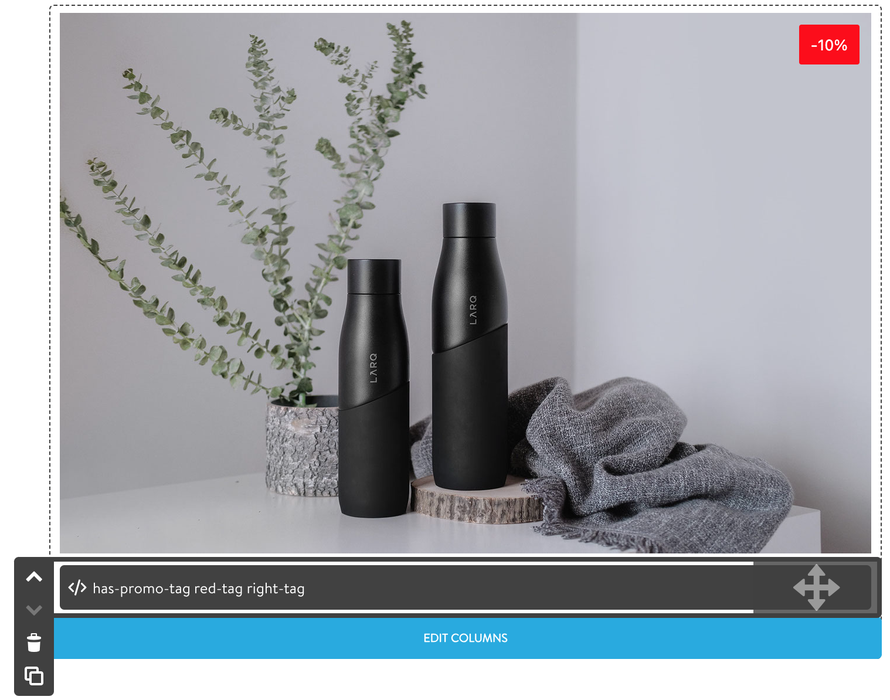
To add a custom caption, you add the class 'has-promo-tag' with other classes for the color and position
- has-promo-tag
- red-tag
- primary-tag
- primary-light-tag
- secondary-tag
- right-tag
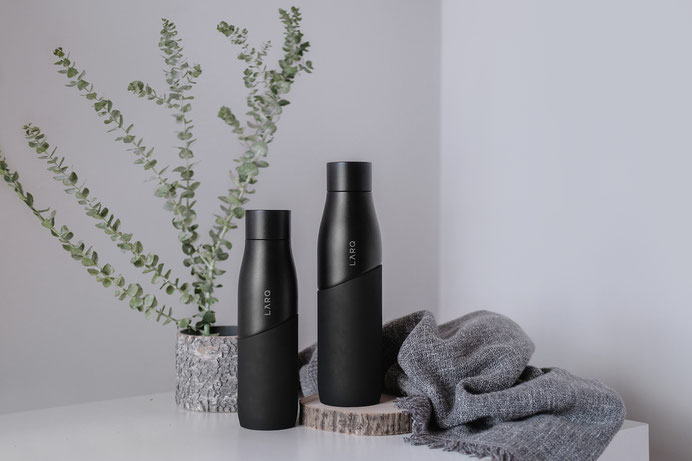
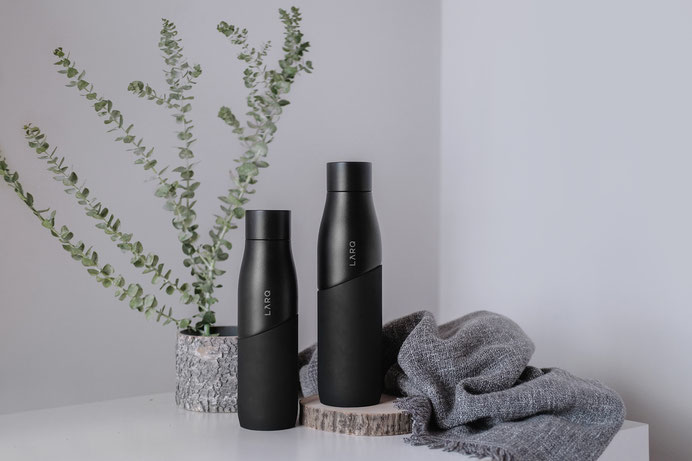
To make the image always 100% width inside the column, you'll need to add a standalone module "Photo" outside the columns, resize it to 100%, and then move it inside the columns.
10. Sticky elements
Additional custom widgets "Sticky elements" can be now found in section "add-ons".

3 Reasons to choose Matrix Themes
Lorem ipsum dolor sit amet,sed diam nonumy eirmod tempor invidunt ut labore et dolore magna aliquyam erat, At vero eos et accusam et justo duo dolores et ea rebum. Nulla neque dolor, sagittis eget, iaculis quis, molestie non, velit. Maecenas nec odio et ante tincidunt tempus.
High quality
Nunc egestas, augue at pellentesque laoreet,
Professional Support
Create a stunning Jimdo website with Matrix Themes.Lorem ipsum dolor sit amet,sed diam nonumy eirmod tempor invidunt ut labore et dolore magna aliquyam erat, At vero eos et accusam et justo duo dolores et ea rebum. Nulla neque dolor, sagittis eget, iaculis quis, molestie non, velit.
Individual approach
Nunc egestas, augue at pellentesque laoreet, felis eros vehicula leo Pellentesque libero tortor, tincidunt et, tincidunt eget, semper nec, quam.
3 Reasons to choose Matrix Themes
This is a quote title
Etiam rhoncus. Aenean commodo ligula eget dolor. Suspendisse enim turpis, dictum sed, iaculis a, condimentum nec, nisi. Aenean viverra rhoncus pede. Sed hendrerit. Vestibulum dapibus nunc ac augue. Sed consequat, leo eget bibendum sodales, augue velit cursus nunc, quis gravida magna mi a libero. Etiam imperdiet imperdiet orci.
- Quote ( Style 01 )
This is a quote title
Etiam rhoncus. Aenean commodo ligula eget dolor. Suspendisse enim turpis, dictum sed, iaculis a, condimentum nec, nisi.
- Quote ( Style 01 )
This is a quote title
Etiam rhoncus. Aenean commodo ligula eget dolor. Suspendisse enim turpis, dictum sed, iaculis a, condimentum nec, nisi. Aenean viverra rhoncus pede. Sed hendrerit. Vestibulum dapibus nunc ac augue. Sed consequat, leo eget bibendum sodales, augue velit cursus nunc.
- Quote ( Style 01 )

Write a comment