Skip to content
  • Home
  • Features
    • Matrix Framework
    • Matrix One
    • Plugin Toolkit
    • Matrix Library
  • Templates
  • Support
  • Pricing
  • Home
  • Features
    • Matrix Framework
    • Matrix One
    • Plugin Toolkit
    • Matrix Library
  • Templates
  • Support
  • Pricing
    05. February 2024

    Matrix themes - Updates #13

    Matrix themes Updates

    The latest updates of Matrix Themes including the new features, bug fixes and much more. You will also find some further customizations of custom widgets with the live examples.

    Updated Widgets

    new Matrix themes widgets

    All widgets within the 'Shortcodes,' 'Block Elements,' and 'Add-ons' sections, available in the Matrix Themes admin menu, have been updated. To utilize the latest widgets, please update all CSS components and JS files.

    Card concept
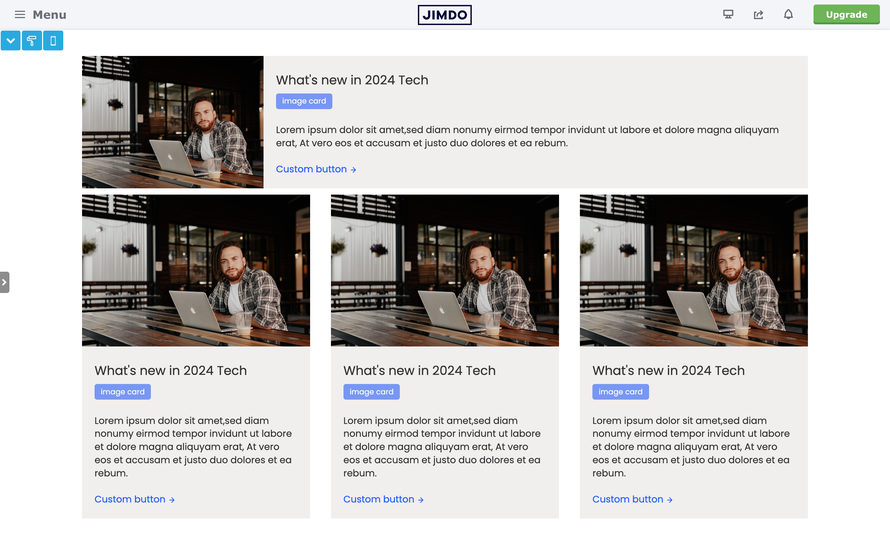
    card concept widget add-5 bg-primary-light

    The newly introduced widgets follow a card-based concept, allowing you to use any widget as a standalone module or within a column.

    Archived widgets

    As many customers continue to use old Matrix themes, the previous widgets have been relocated to the 'Archived Widgets' section, accessible through a link at the top of the admin page.


    Block elements
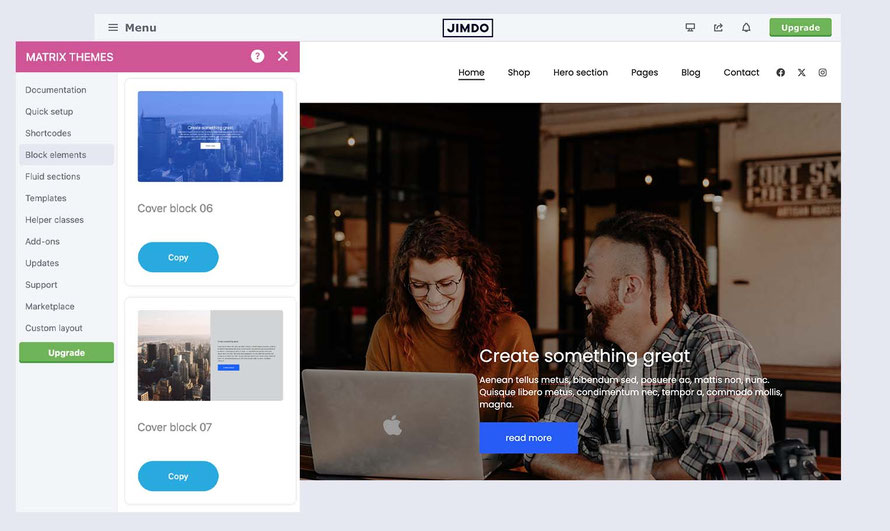
    block elements in Matrix themes

    When you need a full-width section, you can use pre-built elements from the 'Block Elements' section. All widgets in this category have also been updated and function as full-width block elements.


    Add-ons
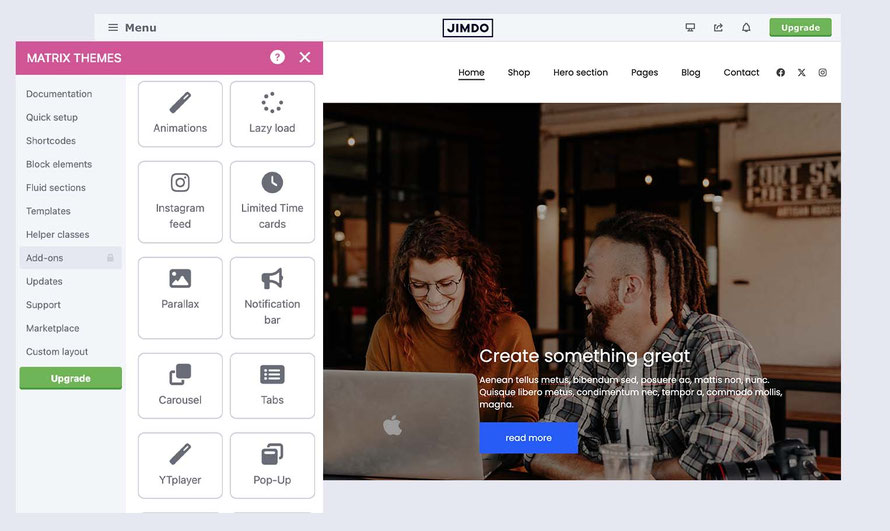
    The 'Add-ons' section introduces new and updated additional plugins, featuring limited-time cards, expanded slider options, equal divs, advanced tabs, and more.
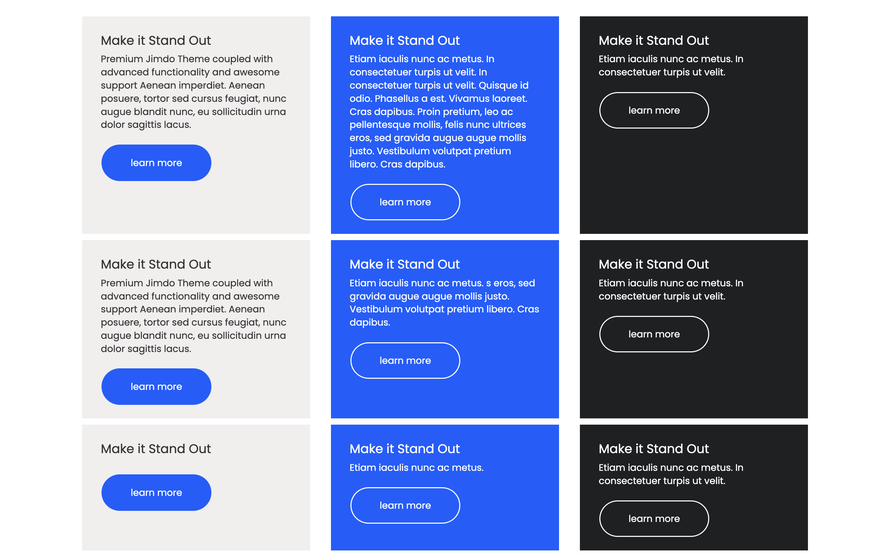
     

    Equal divs add-5 bg-primary-light
    Equal divs

    Fluid sections and the most common mistakes

    Unfortunately, a frequent mistake made by many customers is placing fluid section widgets within the 'Widget/HTML' module instead of the intended 'Text' module.

    How to add a fluid section to your website

    1. Select any widget from section "Fluid sections" by clicking the copy button

    2. On your website add "text" module and click "Edit HTML" button


    3. Paste the copied code inside the "Source code" and click the "Save" button
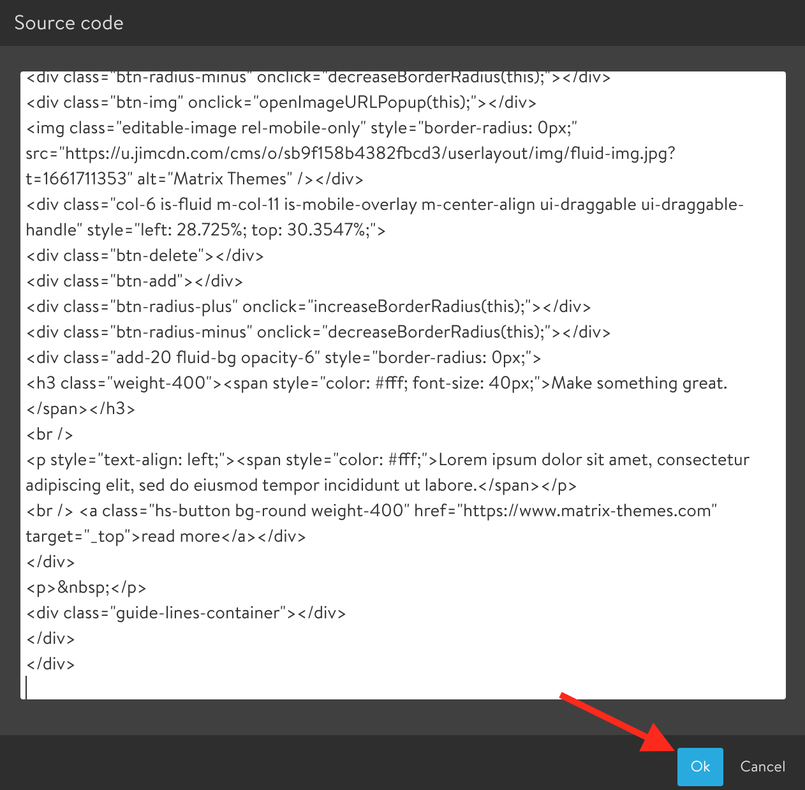
     

    4. Click the button "Apply the styles" of the Style editor and start editing the fluid section with drag&drop tools

    Fluid sections add-5 bg-primary-light

    New release for Page Builder

    The latest Matrix Page Builder version (v6.5.2) includes updates for the new widgets, block elements, and add-ons mentioned earlier.
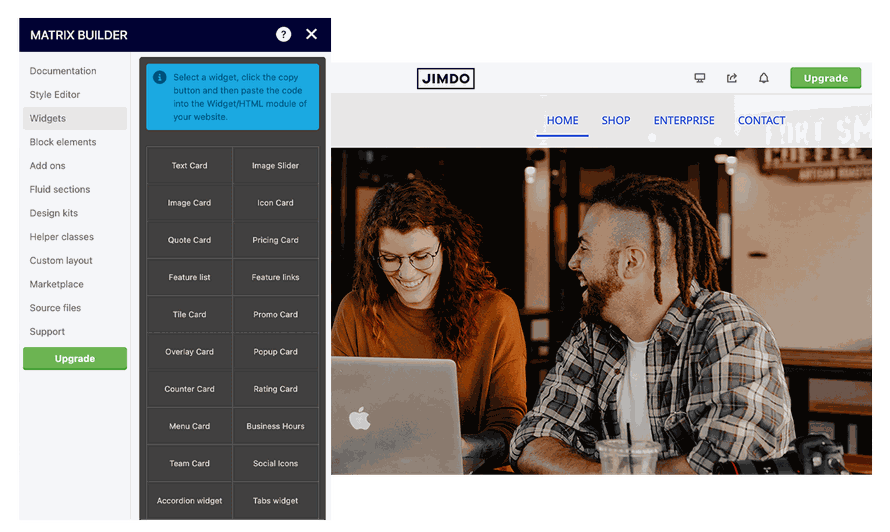
    Matrix Page Builder add-5 bg-primary-light

    tagPlaceholderTags: m-updates
    Get started
    Gobal colors
      bg-primary
      bg-primary-light
      bg-primary-dark
      bg-secondary
      bg-secondary-dark
    Template colors
      body
      top-header
      top-header-inner
      header
      header-inner
      navigation-inner
      navigation color
      dropdown background color
      content
    Footer Styles
      background
      text color
      link color
      horizontal line
    Buttons
      style 1
      style 2
      style 3
      text color
    Mobile navigation
      background color
      navigation color
    Other elements
      social icons
      top header border
      header border
      nav inner border
      footer border
     
    Template configurations
     
    has-sticky-logo has-large-header primary-font has-center-nav has-header-blur no-shopping-cart
     
    Top header inner


    Header inner


    Navigation inner


    Navigation styles
     
    size-15 weight-400
     
    Sub-menu (breadcrumbs) styles
     
    size-15
     
    Mobile Navigation styles
     
    size-30
     
    Content styles
     
    form-white
     
    Footer styles
     
    o-form has-thin-border has-border-style-solid has-border-top has-footer-border-color
     
    Footer background image


    Typography

    Heading H1
    weight-400
     
    Heading H2
    weight-400
     
    Heading H3
    weight-400
     
    Body text (p, table, td)
     
     
    Buttons
    weight-400
     
     
    Advanced settings
     
    Custom CSS

    #cc-inner .my-class {

    color:#f0f0f0;

    }

    /* MATRIX-CUSTOM-MODULES-START */

    #cc-m-7792741551 h1, #cc-m-7792741551 h2, #cc-m-7792741551 h3 {font-size:20px !important;}

    #cc-m-7792741851 h1, #cc-m-7792741851 h2, #cc-m-7792741851 h3 {font-size:20px !important;}

    #cc-m-7792930551 h1, #cc-m-7792930551 h2, #cc-m-7792930551 h3 {font-size:20px !important;}

    #cc-m-12388126494 h1, #cc-m-12388126494 h2, #cc-m-12388126494 h3 {font-weight:600 !important;}

    #cc-m-12388126494 h1, #cc-m-12388126494 h2, #cc-m-12388126494 h3 {font-size:40px !important;}

    /* MATRIX-CUSTOM-MODULES-END */

    /* MATRIX-GLOBAL-SETTINGS-START */

    :root {

    --content-width: 1170px;

    --special-pages-content-width: 900px;

    }

    /* HAMBURGER-BAR-START */

    :root { --hamburger-btn-background: transparent; --hamburger-btn-bg: transparent; --hamburger-btn-bg-active: transparent; }

    /* HAMBURGER-BAR-END */

    #cc-inner #hs-container .j-formnew input[type='submit'],

    #cc-inner #hs-container input.submitUser,

    #cc-inner .hs-button,

    #cc-inner .j-calltoaction-link,

    #cc-inner input.cc-checkout-btn,

    #cc-inner a.cc-shop-addtocard {

    padding: 14px 35px !important;

    border-radius: 8px;

    }

    /* MOBILE-FULLWIDTH-BUTTONS-START */

    @media only screen and (width <= 746px) {

    #cc-inner #hs-container .j-formnew input[type='submit'],

    #cc-inner #hs-container input.submitUser,

    #cc-inner .hs-button,

    #cc-inner .j-calltoaction-link {

    width: 100% !important;

    margin: 5px auto 0 auto;

    box-sizing: border-box;

    text-align: center !important;

    }

    }

    /* MOBILE-FULLWIDTH-BUTTONS-END */

    /* MATRIX-GLOBAL-SETTINGS-END */


    Note:
    All changes made here will be applied to your entire website.
    draggable-logo

    Build faster, smarter, and more flexible Jimdo websites.

    has-right-col-border

    Products

    Matrix Framework

    Matrix One

    Matrix Plugin Toolkit

    Resources

    Support

    Changelog

    Showcase

    Marketplace

    Community

    Blog

    Archive

    GitHub


    About | Privacy Policy | Cookie Policy | Sitemap | Withdraw contract
    Created with Jimdo
    Log in Log out | Edit
    • Scroll to top
    Close