
This post includes the latest Matrix Themes and Page builder's updates, bug fixes, and the new features and designs.
General Updates
To update your website with the latest updates, simply follow these steps:
- Go to the "Updates" section of the Matrix Themes menu and download the latest CSS and JS files. Upload the new files to your website. The new files will automatically replace the previous ones.
- Update the style editor: in section "quick setup" select the default color settings ( or use the preset styles) and update the tables. Then update the second part of the style editor (Widget/HTML).
- Update the color settings and typography of your CSS. In section "Updates" click the copy button and paste the whole code to your CSS ( design> custom layout> CSS) by replacing the only 2 sections: color settings and typography.
For more information on how to update your Matrix Theme, please visit our support page at the
following link:
Now let's see all details regarding the latest Matrix Themes updates
01. CSS Variables
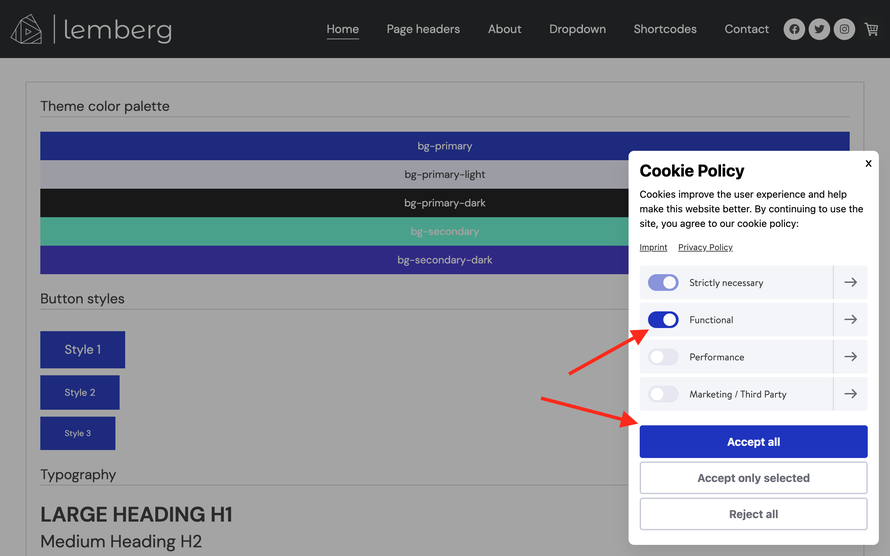
The latest updates include the use of CSS variables for color settings. These variables are available in two sections: inside the 'helper-classes.css' file and the updated 'color settings' section of the CSS layout.
Using CSS variables allows you to have all custom widgets with your set-up colors without using the "apply the styles" button. So, when you copy any widget from shortcodes and add it to your page, the default colors will automatically be applied to all elements of your website.
CSS variables provide greater flexibility for color settings and enable customization of additional elements on your website.

02. matrix-min.js
The latest JS file includes several changes that improve the performance and functionality of Matrix themes:
- removed the universal and simple parallax plugins that did not work correctly on mobile devices. As a result, the "Add-ons" section now only includes the shortcodes of the "Jarallax" and "Enllax" parallax plugins, which are fully compatible with mobile devices.
- removed the "slick-nav.js" plugin as all Matrix themes now use the CSS mobile navigation, similar to the standard Jimdo templates. This change ensures consistency across all themes and simplifies the codebase.
- updated the jQuery library to the latest release and also updated the "scaled text.js" plugin, which will further improve the performance of your website.
Finally, to enhance website speed and performance, some of the Matrix theme features have been replaced from jQuery with plain JS. This change ensures that your website loads faster and performs better, providing a smoother user experience for your visitors.
03. Bug fixes
This bug fix has been included in the latest theme installations. However, if you prefer, you can also apply the fix manually.
To prevent the navigation items from jumping when you set their value larger than the body text size in the style editor, you can simply remove the following lines ( highlighted in red color ) from your main navigation in Design > Custom Templates > CSS:
/* Main nav style */
.hs-menu nav ul li a:link,.hs-menu nav ul li a:visited {
    display: block;
    color:#333;
    line-height:150%;
    margin: 0;
    padding: 10px 20px;
    text-decoration: none!important;
    -webkit-transition: all 200ms linear;
    -o-transition: all 200ms linear;
    -moz-transition: all 200ms linear;
    -webkit-font-smoothing: subpixel-antialiased !important;
}
04. Draggable options
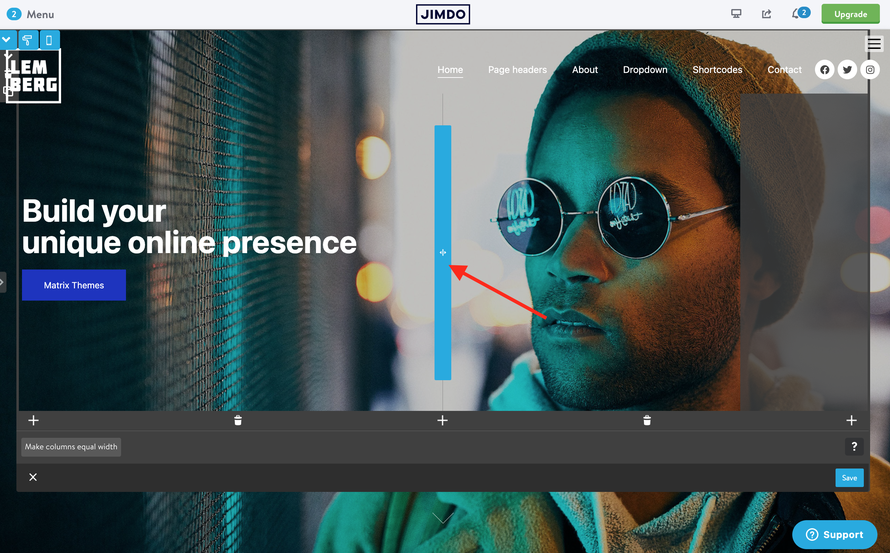
To add a logo image or display the hero section in Matrix themes, you need to use the <var>draggable-logo</var> and <var>draggable-hero</var> elements inside the "columns" module. With the latest themes, you no longer need to reload the page to see your changes. Simply click the "Apply the Styles" button in the style editor, and your logo will be visible in the header or the background image in the hero section.
Additionally, the hero section now has a resizable option, allowing you to adjust its size to fit your content perfectly. This feature provides greater flexibility in designing your website and ensures a more professional look and feel.
05. Additional options for hero section
The following changes have been made in order to have the same hero styles and options for all Matrix themes. It means that by default the hero section is deactivated and you can see the background image only when adding <var>draggable-hero</var> inside the columns.
Here are all options:
| color-white | adds white color text |
| has-transparent-header | adds transparent background to the header |
| has-fullscreen-hero | adds fullscreen hero image |
| has-primary-overlay | adds the primary color for the hero overlay |
| has-secondary-overlay | adds the secondary color for the hero overlay |
| has-gradient-overlay | adds the gradient color for the hero overlay |
| has-no-gutter | removes the top padding between content and hero |
| has-btm-arrow | adds the arrow to the hero |
| has-nav-inverted | makes nav color white ( with transparent header) |
| has-logo-inverted | makes logo image white ( with transparent header) |
06. Sticky logo
To achieve this effect in the latest Matrix themes, you can add a slightly larger logo image and include the 'has-sticky-logo' class in the template configurations of the style editor

07. Style editor
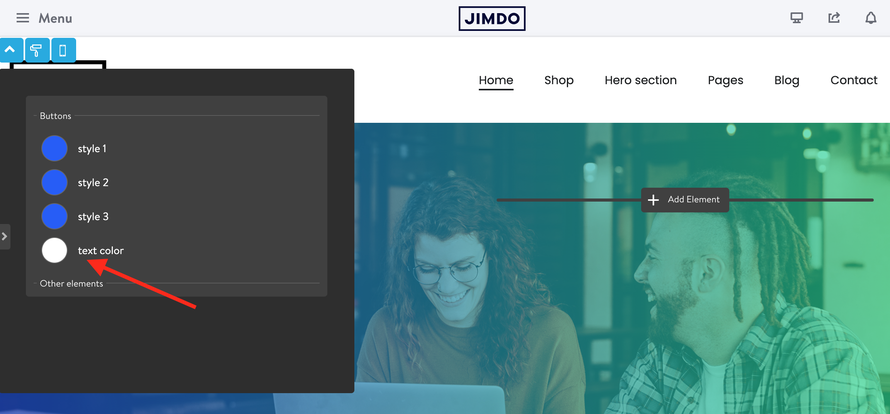
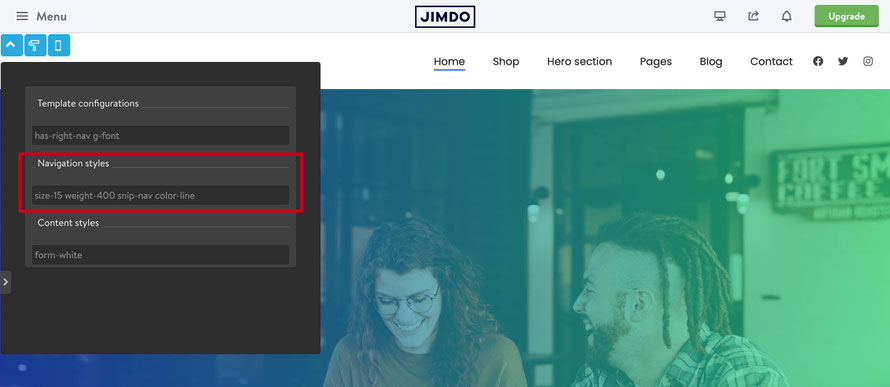
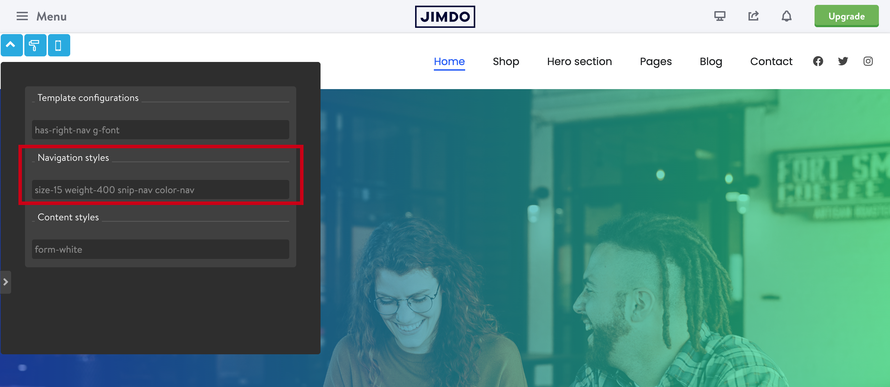
The updated style editor comes with the other new options such as color text for your buttons and additional classes for the navigation style.
08. Navigation styles
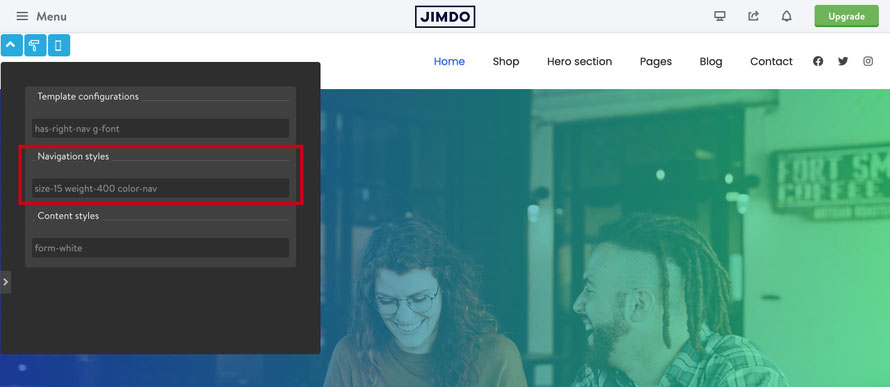
There are additional classes for the main navigation styling:
color-nav - active and hover primary color
color-line - active and hover primary color line

09. Page Builder
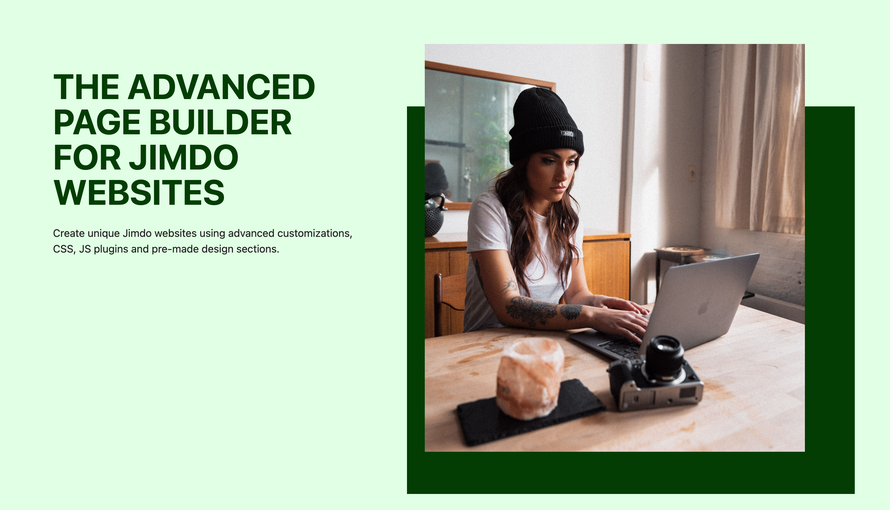
A revised version of the Matrix Page Builder has been released, which incorporates the latest Matrix Themes updates. Notably, the updated version includes a new style editor that employs CSS variables for enhanced customization capabilities.
Write a comment