How to upload images
Get Started
Find out how to upload images for your custom widgets in Matrix Themes
File directory
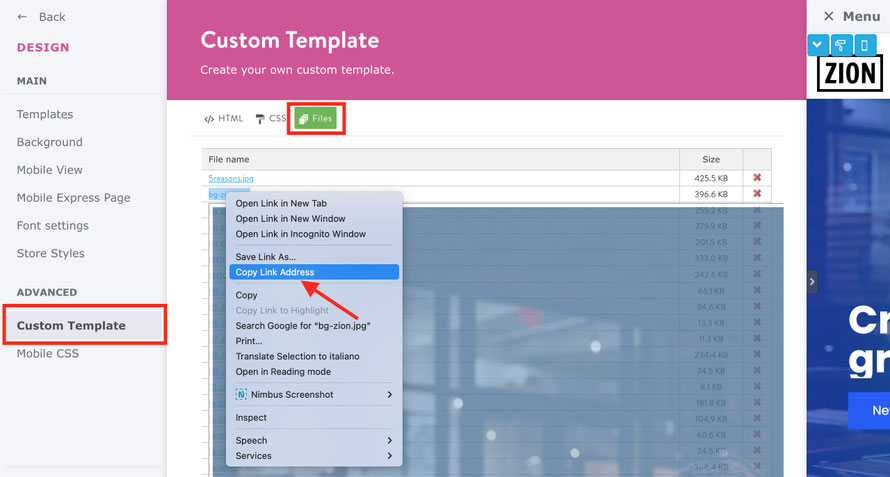
In Admin mode navigate to Design > Custom Template > Files and upload your files for custom widgets ( module widget/HTML) such as parallax, overlay teasers, etc.
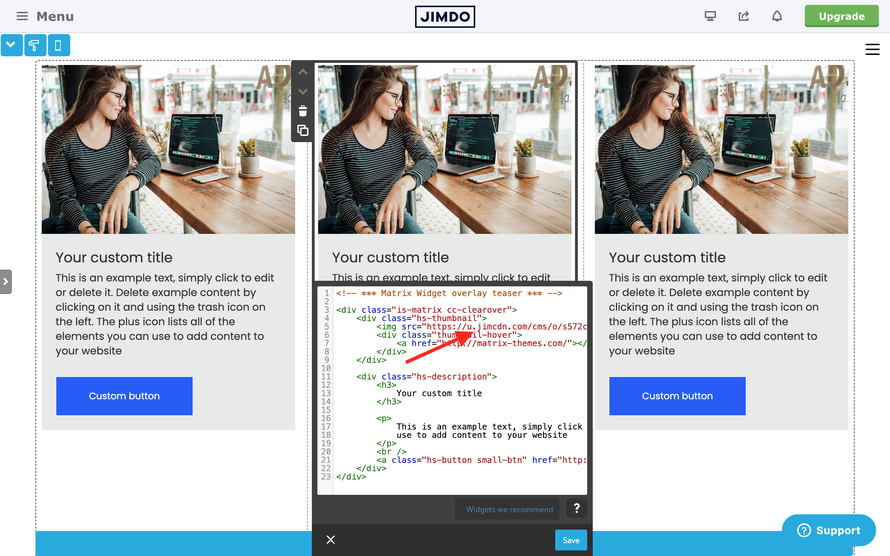
After uploading your file, right-click on it, choose 'Copy link address,' and paste it inside the widget/HTML like this:
browser-frame
browser-frame
Caution: The file folder is the most common method for uploading files for your widgets; nevertheless, there is a file size limitation — the maximum size allowed is 512KB

browser-frame
There's an alternative way to upload large image files to your website. You can either add the external hosting URL or simply create a hidden page on your website with the 'File Upload' module.

browser-frame