Admin Menu
Once you log in to the admin area of your website, you will see a sliding button in the middle of the left side. Clicking it will open the Matrix Framework menu, where you can access documentation, widgets, and all resource files.

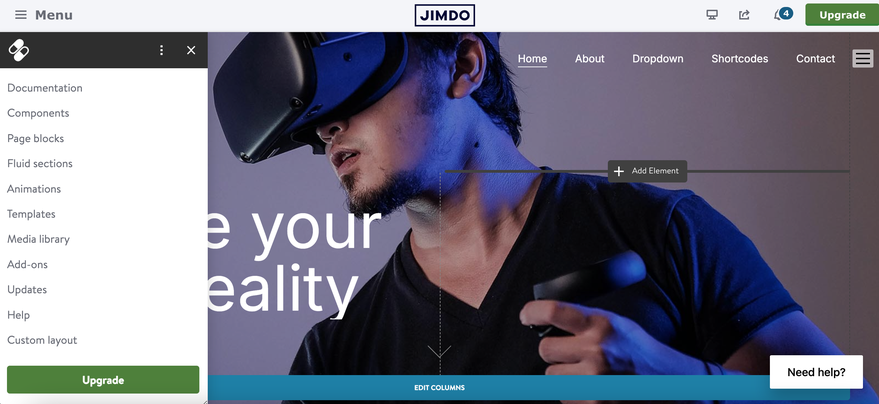
The Updates section is password-protected, and you will need to enter the password provided to you after purchase.
Here, you can access all the resource files for your website, which allow you to update it on your own.
Additional Dropdown Menu
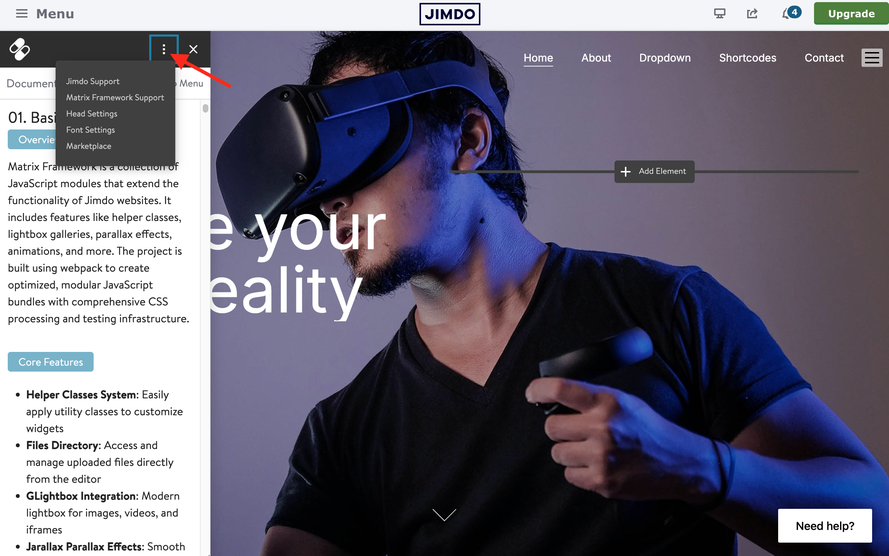
At the top of the admin menu, you’ll find an additional dropdown menu that appears when you click the three dots icon. From here, you have quick access to:
- Matrix Framework support
- Official Jimdo support page
- Head section
- Typography section
- Marketplace
Resizing Option
The admin menu includes a resizing feature, allowing you to adjust its width for a better view of certain sections and custom layout code.

Deactivating the Admin Menu
The admin menu can be deactivated. If you are a web designer, agency, or simply creating websites for your customers, you can disable it by setting the option adminMenu: false
in the configuration object. This will prevent the menu from appearing in admin mode.
matrixAdmin: false,If you have encountered any bugs, errors, or unexpected behavior in the Admin menu, please leave a comment below.